

| Photo | System requirements | |
 |
|
Operating systems: File formats: |
Point clouds and formats
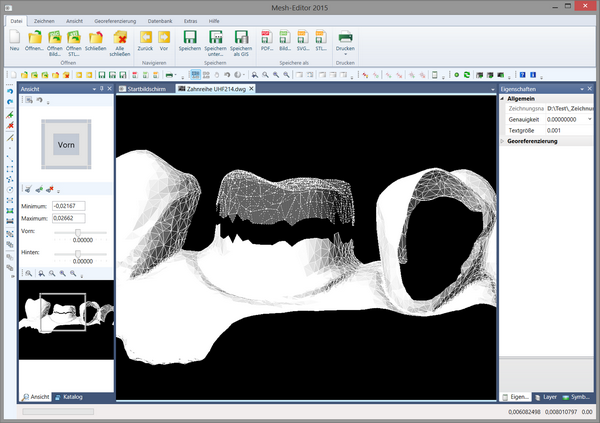
The Mesh-Editor allows point clouds and 3D meshes to be displayed and edited. The file formats STL, Collada, DWG and DXF are supported for loading. Its modern, ergonomic user interface allows even inexperienced users to get to grips with it quickly and achieve their goal.
Use
The possible applications are many and varied. It can be used, for example, in dentistry, for post-processing survey results, preparing 3D prints, modelling for art and jewellery design and much more.
It can be used as a standalone program or embedded in other programs as a component. On request, functions, user interfaces and file formats can be extended or added.
Feel free to check with us whether your requirements can be realised as well.
Dentistry
CAD / CAM programs have become indispensable in dentistry. Until now, impressions of the teeth were taken and scanned, and implants, for example, were then modelled. However, there are already lasers that can capture the teeth as point clouds directly in the patient’s mouth.
Surveying
In laser-assisted surveying for building construction and civil engineering or for landscape surveys, the results are also available as point clouds. There are mobile systems with a laser mounted on a vehicle that combine the various scans. In addition, photographs are used from which the colours for the point clouds are taken. In a complex cloud of several 100,000 or millions of points, the colour differentiation can thus help to keep track.
3D printing
Here, too, the preliminary stage of 3D printing is a model that has been drawn in a CAD program or captured by laser.
Customisation
The Mesh-Editor can be customised for any industry and extended to meet your requirements.
 kununu