
Railway switches as an image for migrating AutoCAD add-ins to .NET 10

CAD

Your add-in ran without complaint for years – and after the move to AutoCAD 2027 it no longer loads. Or it loads, but your users’ saved settings have suddenly vanished. Both have the same cause: AutoCAD 2027 runs on .NET 10.

What has changed

Moving house is the best opportunity to clear out the cellar. Most of the furniture comes along, some of it does not fit through the new door. It is the same here. AutoCAD 2021 to 2024 run on .NET Framework 4.8, AutoCAD 2025 and 2026 on .NET 8, and AutoCAD 2027 (internally R26.0, DLLs version 26.0) on .NET 10.

AutoCAD.NETVisual Studio
2021 to 2024 .NET Framework 4.8 2019 or 2022
2025 and 2026 .NET 8, .NET 10 from update 2025.1.4 or 2026.1.2 2022, 2026 from these updates
2027 .NET 10 2026

The binary break matters most: an add-in for AutoCAD 2025 or 2026 has to be rebuilt for 2027 – whether it was built with .NET 8 or .NET 10. There is also a fixed date. Microsoft ends support for .NET 8 on 10 November 2026. Autodesk has therefore moved AutoCAD 2025 and 2026 to .NET 10 with the updates above, without changing the API.

The good news: the AutoCAD API itself has changed very little. Most of the work lies in .NET – in the project file, in a few classes that have disappeared and in behaviour that has changed silently.


Robotic arm with a camera detecting ripe tomatoes on the plant, the fruits overlaid with a detection mesh

Image Processing

A manufacturer wants to inspect parts with a camera. Today the first question is often: do we need AI for this? Sometimes yes. But classic methods frequently solve the task faster, cheaper and more transparently – and the wrong choice costs months, in either direction.

A robotic hand and a human hand touching a screen showing a network of lines and points

AI and Machine Learning

An inspection station reports too many false alarms, or certain defects keep slipping through. The term machine learning soon comes up. Whether the effort pays off, however, depends not on the algorithm but on data, process and clear goals.

Interlocking metal gears, one of them rusty – a symbol of legacy code

Software architecture and UML

You are taking over software that someone else wrote. There is hardly any documentation, the comments are out of date, and the people who knew the code have left. Even so, you are expected to fix bugs and add new features – and soon.

Two developers typing intently on a keyboard – manual testing at the workstation

Test automation

Every new version can break what worked yesterday. With desktop software, this often only shows up at the customer’s site: a dialog no longer opens, a command calculates incorrectly, an add-in fails to load. If you check everything by hand, you can hardly keep up when releases come in short intervals.

CAD model of a component on screen with a performance curve

CAD

Your command runs through without an error message – and nothing in the drawing has changed. Or worse: after an error, half of the components have been moved and the rest are still in their old place. Both can be avoided.

The transaction as a breakfast table

Opening an object in the drawing is like unscrewing a jar. The transaction is the breakfast table for them: everything you open through it stays open until the transaction ends. Then all the jars are closed at once. With Commit the changes are kept; without Commit everything returns to the way it was.

The sequence is always the same:

Scientist wearing protective gloves looking intently through a microscope – thorough inspection

Quality and security

Since 11 September 2026, manufacturers have had to report actively exploited vulnerabilities in their products – including products that have been on sale for a long time. From 11 December 2027, the Cyber Resilience Act applies in full. If you sell software or devices containing software in the EU, you have just over a year left to adapt your products and processes.

Milling cutter machining metal with flying sparks

CAM

Every new part starts with the same clicks: create the stock, choose the material, assign tools, set strategies, print the setup sheet. Doing this by hand for every part costs time – and sooner or later a step gets forgotten. An add-in takes this routine off your CAM programmers’ hands.

Where the time goes

In many shops, the knowledge of how a part is prepared in FeatureCAM lives in the heads of a few people. Everyone has their own order of steps, their own defaults and their own shortcuts. That works until someone is on holiday or a new colleague starts. Then the same part takes twice as long, or the NC program looks different from usual.

Typical candidates for automation are:

Laboratory technician pointing at a monitor with analysis software, test tubes and sample tubes nearby

Image Processing

Many image processing projects fail not because of the software but because of assumptions: that the camera can see the defect, that the lighting is sufficient, that the cycle time can be met. A feasibility check answers these questions before money flows into equipment and development.

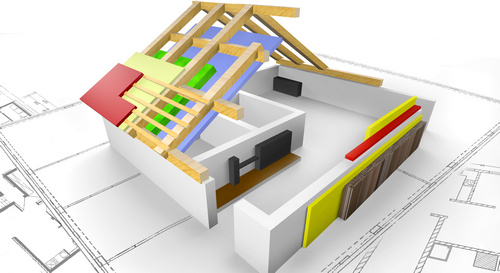
3D building model with open roof structure and component layers on floor plans

CAD/BIM

Revit 2027 is installed, but your add-in is missing from the ribbon – or Revit reports at start-up that it cannot be loaded. The reason is almost always the same: Revit 2027 runs on .NET 10, and your add-in was built for .NET 8 or .NET Framework.

How a Revit add-in is structured

A Revit add-in is a .NET DLL with at least one class implementing IExternalCommand (a command) or IExternalApplication (start-up and shutdown, for example for the ribbon). Which DLL and which class Revit should load is stated in a small XML file with the extension .addin, the manifest. Every change to the model needs a Revit transaction:

using Autodesk.Revit.Attributes;
using Autodesk.Revit.DB;
using Autodesk.Revit.UI;

[Transaction(TransactionMode.Manual)]
public class SetComment : IExternalCommand
{
    public Result Execute(ExternalCommandData commandData, ref string message,
        ElementSet elements)
    {
        var uidoc = commandData.Application.ActiveUIDocument;
        var doc = uidoc.Document;
        // Every change to the model needs a Revit transaction
        using (var t = new Transaction(doc, "Set comment"))
        {
            t.Start();
            foreach (var id in uidoc.Selection.GetElementIds())
            {
                var parameter = doc.GetElement(id)
                    .get_Parameter(BuiltInParameter.ALL_MODEL_INSTANCE_COMMENTS);
                if (parameter != null && !parameter.IsReadOnly)
                {
                    parameter.Set("checked");
                }
            }
            t.Commit();
        }
        return Result.Succeeded;
    }
}

The command sets the comment on all selected elements. With the attribute TransactionMode.Manual the add-in manages its transactions itself. Without Commit, Revit rolls back the changes when the using block is left.

What changes with Revit 2027

Revit 2024 and earlier run on .NET Framework 4.8, Revit 2025 and 2026 on .NET 8. Revit 2027 runs on .NET 10, and according to Autodesk all add-ins must be built with the .NET 10 SDK. Microsoft ends support for .NET 8 on 10 November 2026. Autodesk has therefore announced that Revit 2025 and 2026 will also move to .NET 10 and has asked developers to test their add-ins against it.

According to the Autodesk developer blog post on the Revit 2027 SDK, there are further changes:

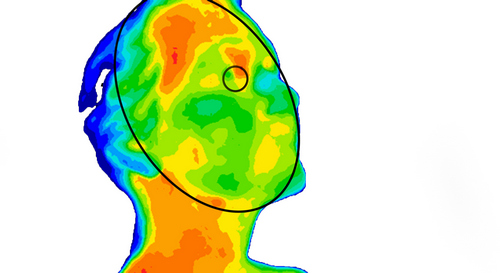
False-colour thermal image of a head with the detected face marked by an ellipse

AI and Machine Learning

A device needs to evaluate images by itself – in the field, in the lab or on the machine. The cloud would be convenient, but response time, data protection and missing network connections often argue against it. Then image processing has to run on limited hardware, and that is exactly where many approaches fail that looked good on the developer PC.

CAD model of a machine part on a screen in front of a steeply rising performance chart

Quality and security

The software has grown over the years, and every version brought new features. At some point, users wait minutes for a response when working with large files, and the window shows “Not responding”. Isolated optimisations based on gut feeling rarely help at that stage. What you need is a systematic approach.

Living room half as a line drawing, half fully furnished – an image for an add-in that runs in two CAD programs

CAD

Licence costs are rising, part of the design team is moving to BricsCAD – and your own add-ins have to come along. The good news: BricsCAD speaks almost the same .NET language as AutoCAD. The less good news: the “almost” hides in namespaces, the user interface and setup, and it tends to show up only at the user’s desk.

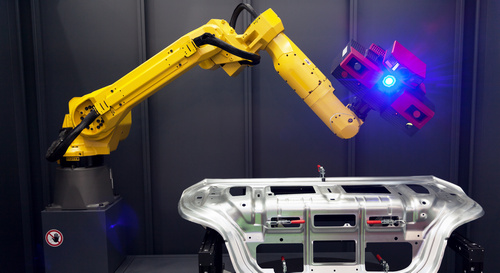
Robot arm with blue lighting above a component in a darkened room

Image Processing

An inspection system runs flawlessly during trials. On the line it suddenly reports defects nobody can see – more often in the afternoon than in the morning. The algorithm is innocent; the light has changed. In image processing, the lighting decides what is in the image in the first place. No filter can later recover what the camera never saw.

Experts in a laboratory examine samples under the microscope – good training data needs expert knowledge

AI and Machine Learning

“How many images do we need?” is the first question in almost every AI project. The honest answer is: it depends. That sounds like an excuse, but it is the start of a plan. Because which images you collect matters more than how many.

Laboratory workstation with pipette, samples and measurement software on a laptop

Software architecture and UML

The software has been running for twenty years, customers rely on it – and the only person who really knows the Delphi code retires next year. Rewrite everything? That takes years and only pays off at the very end. There is a better way: piece by piece, without stopping operations.

Two people working at screens showing a 3D building model

Test automation

One add-in for AutoCAD and BricsCAD, two program versions each, a new one every year: if you check that by hand, sooner or later you only test what you changed last. The defects then come from where nobody looked. CAD add-ins can be tested automatically – just not with a single tool.

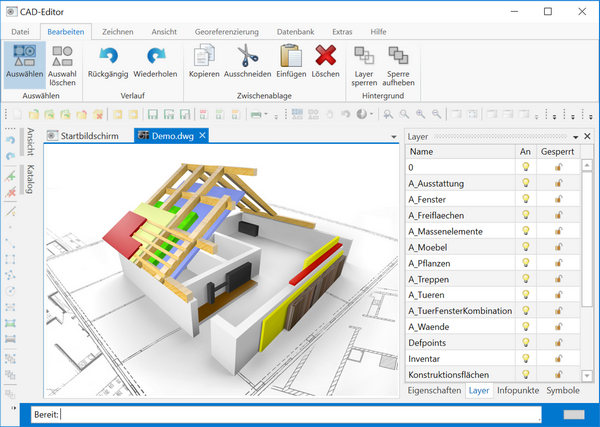
CAD user interface with a 3D house model, ribbon and layer list

CAD

A command asks for “Center:” and “Radius:”, the user types numbers and only sees the result at the very end. It works, but it feels like 1995. AutoCAD’s CIRCLE command shows how it can be done better: the circle hangs on the mouse and grows with it. This preview is called a jig – and with the .NET API you can build it into your own commands.

Two developers and a colleague analysing data together on several screens

Quality and security

At the end of 2021, the Log4Shell vulnerability in the widely used Java library Log4j became public. Many companies spent days searching: is the library in one of our products – and in which version? Anyone with a software bill of materials answered in minutes. Under the Cyber Resilience Act, this list becomes mandatory for manufacturers.

CAD application showing a valve symbol with its properties such as name, pressure and temperature

CAD

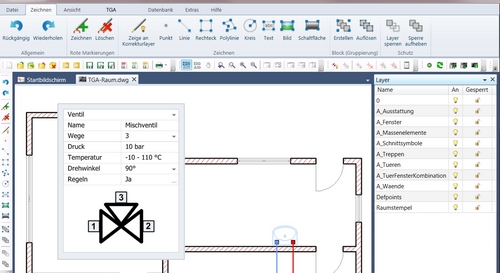
Your add-in places the title block in every layout at the click of a button. The block looks fine – but drawing number, date and author are missing. Or the parts list counts fewer doors than the plan shows. Both have a simple cause.

Blue wireframe model of a curved surface made of points and lines

Image Processing

A 3D scanner above a conveyor belt delivers a point cloud: many thousands of points in space, unordered, noisy and with gaps. What is lying there – a cylinder, a box, a sphere? How large is it, and what is its volume?

Hand operating a tablet with charts and curves floating above it, symbolising user interfaces

Software architecture and UML

The dialog works – for now. The code-behind contains two thousand lines: click handlers read text boxes, calculate, write to the drawing and enable or disable buttons. Every new requirement makes it more fragile, and the only way to test it is for someone to click through it. MVVM cleans this up.

Smiling developer writing C# code on a glass wall

AI and Machine Learning

The AI assistant writes the skeleton of an AutoCAD add-in in seconds. It looks convincing – and calls a method that does not exist in the API. Or it compiles without errors and uses a class that throws an exception at runtime under .NET 10. AI noticeably speeds up programming. But whether the result is any good is still decided by someone who understands the subject.

Several hands stacked on top of each other in a circle as a sign of teamwork

Collaboration

For a long time the calculation seemed simple: programming is expensive, so you outsource it to where an hour costs little. Many companies know the consequences – long specifications, queries across time zones, results that meet the document but miss the actual need. Ebi F. Eilber, managing director of Cadida, is convinced: this calculation no longer works, and development is coming back.

First meetingarrange nowFirst meetingarrange now